

Download Screenshot Pimp – Firefox Tool, Screenshot Options, Video Download, Full Page Capture
Overview
Screenshot Pimp is a specialized utility designed for Firefox users seeking an efficient way to capture browser content and download videos from online platforms. Its core purpose lies in streamlining the process of capturing full web pages, partial sections, and downloading video content with minimal effort. This app serves individuals who frequently need to save web content for reference, documentation, or offline access—such as researchers, content creators, educators, and digital archivists.
By enabling full-page captures, Screenshot Pimp addresses the common challenge of missing scrollable content when taking screenshots. The ability to save entire long-form web pages as a single image enhances usability for users working with extensive articles, reports, or web-based tutorials. Additionally, its video downloading feature expands its functionality beyond image capture, making it a multifunctional tool for content preservation.
Although the developer did not provide additional background information, the app’s long-standing presence since its release on January 11, 2011, suggests a stable and reliable track record. The tool operates within the Firefox ecosystem, targeting users who prefer browser-based workflows over standalone desktop applications. Its niche focus on Firefox makes it a valuable addition to the browser extension landscape, particularly for those seeking a lightweight, no-frills solution.
Key Features & Functionality
- Multiple Screenshot Options: Users can capture specific regions of a webpage or select the entire visible area, allowing for flexible image acquisition based on content needs.
- Full Page Capture: This feature automatically scrolls and stitches together all sections of a webpage, delivering a complete visual record of long-form content in a single image.
- Format Choice: Captured images can be saved in either JPG or PNG format, giving users control over file size and image quality depending on their use case.
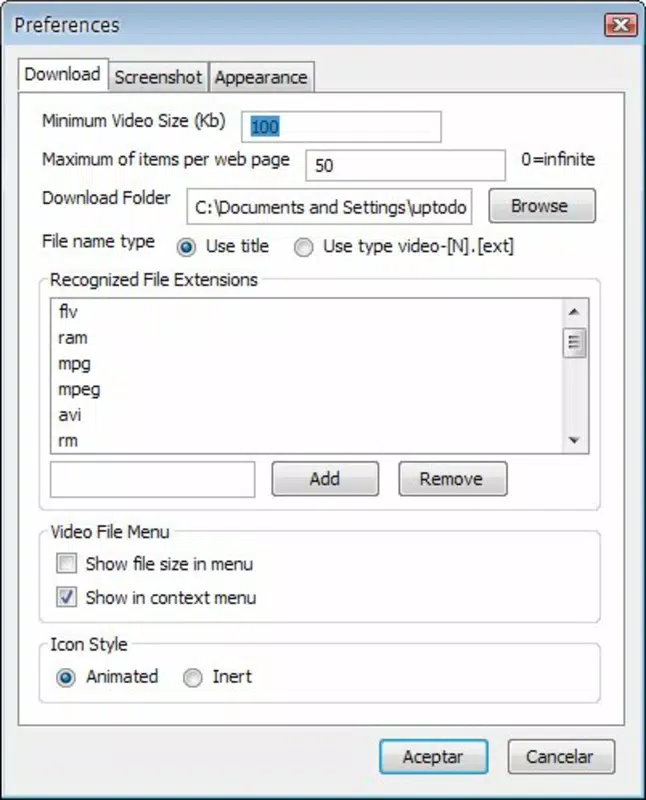
- Video Downloading Capability: Screenshot Pimp supports video downloads from popular platforms like YouTube, enabling offline viewing through a simple system tray button.
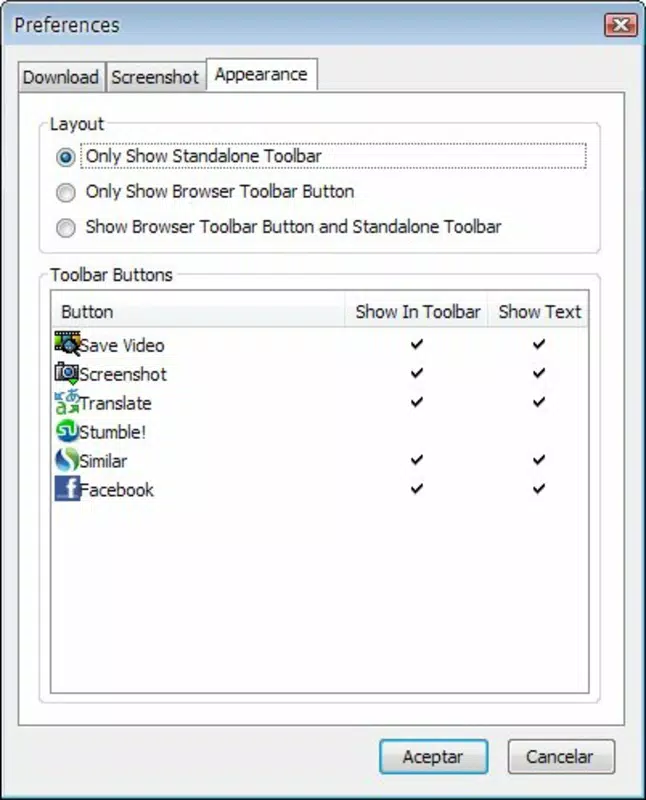
- User-Friendly Interface: The app is designed with simplicity in mind, requiring no complex setup and offering intuitive controls accessible to users of all technical levels.
For example, a student researching a lengthy academic article can use the full-page capture to save the entire document as a single image for later review. A content creator might use the partial screenshot tool to extract specific visuals from a webpage for social media posts. Similarly, someone wanting to watch a YouTube video offline can initiate the download with minimal interaction, thanks to the system tray integration.
Interface, UX & Performance
The user interface of Screenshot Pimp is minimal and focused on core functionality, aligning with its utility-driven design. The layout emphasizes clarity and direct access to essential tools, avoiding clutter that could hinder workflow efficiency. Navigation is straightforward, with key actions—such as capturing a screenshot or downloading a video—available through easily identifiable buttons or system tray options.
Although the developer did not list formal performance metrics, the app’s long-term operation suggests a stable and responsive experience. It appears optimized for typical Firefox browsing scenarios, with minimal impact on browser speed or memory usage. Users can expect consistent responsiveness when initiating captures or downloads, particularly on mid-to-high-end devices.
Stability across different device categories is not explicitly documented. However, given its compatibility with Firefox, it is likely to function reliably on systems where the browser runs smoothly. The app’s lightweight nature reduces the risk of crashes or freezes during extended use. Overall, the user experience remains smooth and predictable, making it suitable for daily tasks without disruption.
Platform Compatibility & Technical Requirements
Screenshot Pimp is designed for use with the Firefox browser. The specific operating system requirements were not listed by the developer. Similarly, no details were provided regarding the minimum OS version, file size, or hardware specifications.
The developer did not specify the exact platform or file size. Compatibility information was not fully disclosed. Users are advised to ensure their Firefox browser is up to date to maximize functionality. The app’s reliance on browser extensions means it operates within the constraints of Firefox’s extension ecosystem, which may affect availability or performance depending on the device and browser version in use.
Pros and Cons
Pros
- Efficient full-page screenshot capture for long web content
- Supports multiple image formats (JPG and PNG) for flexibility
- Integrated video downloading from platforms like YouTube
- Simple, intuitive interface suitable for all skill levels
- Lightweight and optimized for Firefox browser use
Cons
- Compatibility details were not provided by the developer
- No information on minimum OS or device requirements
- Functionality limited to Firefox browser environment
- Developer background and support channels not disclosed
- Performance metrics and update frequency not available
FAQ
Is Screenshot Pimp available for mobile browsers?
The app is designed for Firefox on desktop platforms. There is no indication of mobile compatibility at this time.
Can I use Screenshot Pimp on iOS devices?
Since Screenshot Pimp is a Firefox extension, it requires a desktop version of Firefox. iOS users may not have access to the extension due to browser limitations.
Does Screenshot Pimp support video downloads from all websites?
The app specifically mentions support for platforms like YouTube. Support for other sites may vary and is not confirmed.
How do I install Screenshot Pimp?
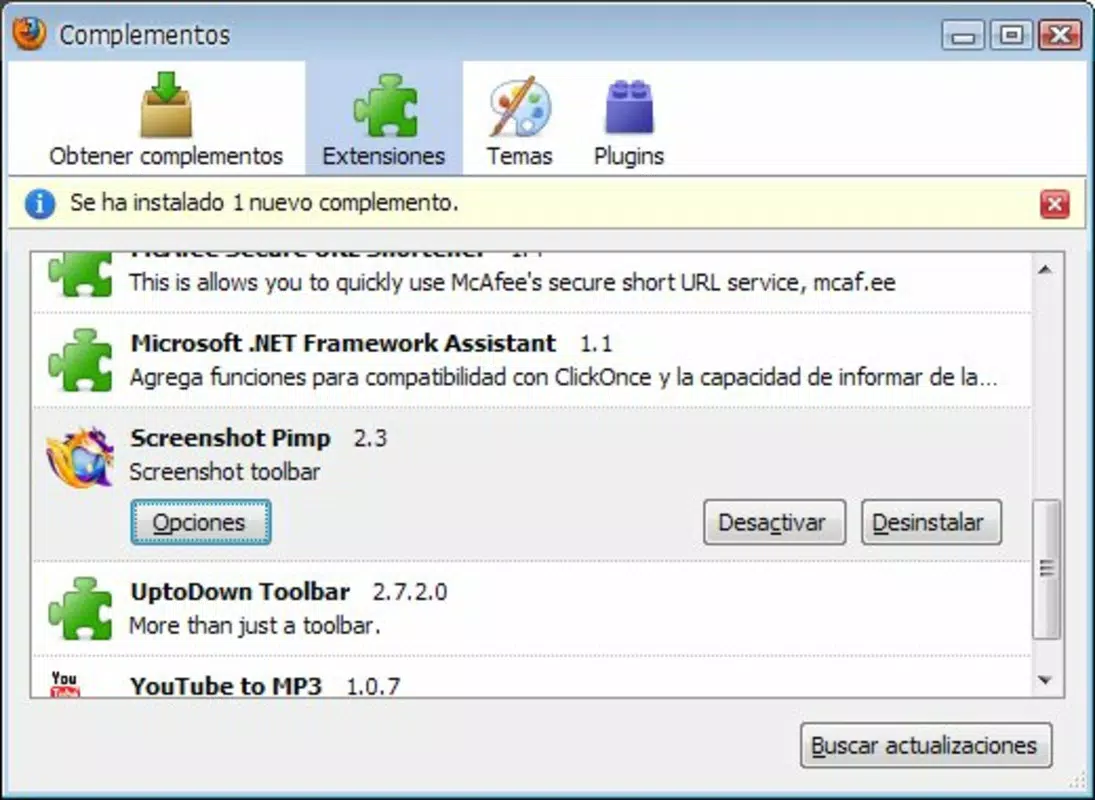
Install the extension directly from the Firefox Add-ons marketplace using the official link provided by the developer.
Is Screenshot Pimp safe to use?
As a Firefox extension, it operates within the browser’s security model. Users should only install it from verified sources to ensure safety and avoid potential risks.
Final Thoughts
Screenshot Pimp stands out as a focused, reliable tool for Firefox users who need to capture web content and download videos efficiently. Its ability to deliver full-page screenshots and support video downloads within a single interface makes it a practical solution for everyday digital workflows. While detailed technical specifications and developer information are limited, the app’s long-standing presence and straightforward functionality speak to its durability and usability.
It is particularly beneficial for students, educators, content creators, and anyone who regularly archives web content. The app offers a secure, no-frills alternative to more complex tools, especially for those already using Firefox as their primary browser.
With its simple design and clear purpose, Screenshot Pimp delivers real value without unnecessary complexity. Download Screenshot Pimp now


